Vous devez activer les cookies pour accéder à ce site.
Newforma Konekt streamlines contract administration.
Newforma Konekt’s Contract Administration automates submittals and RFI workflows to significantly improve response times.
Talk to an expert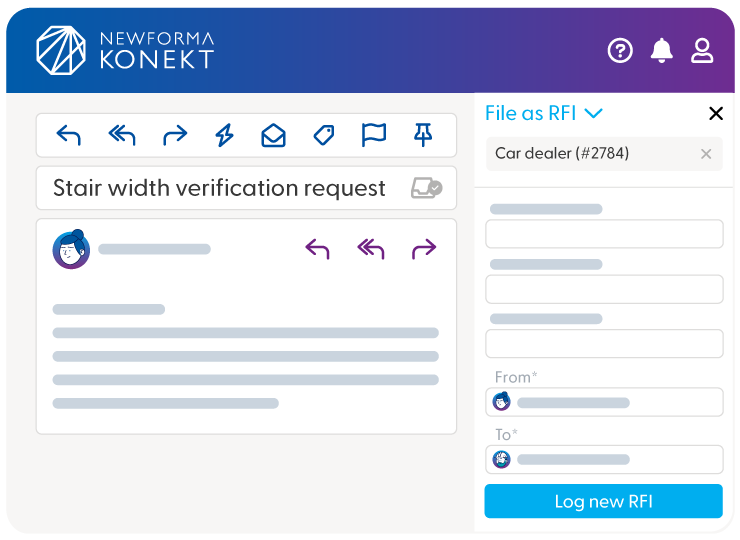
Newforma Konekt’s Contract Administration automates submittals and RFI workflows to significantly improve response times.
Talk to an expertThe following workflow options are available for tracking Submittals and RFIs in the project.
With the Newforma Konekt Microsoft Outlook Add-in, Submittals and RFIs can be logged by auto-populating Newforma Konekt from the information contained in the email – including the attachments!
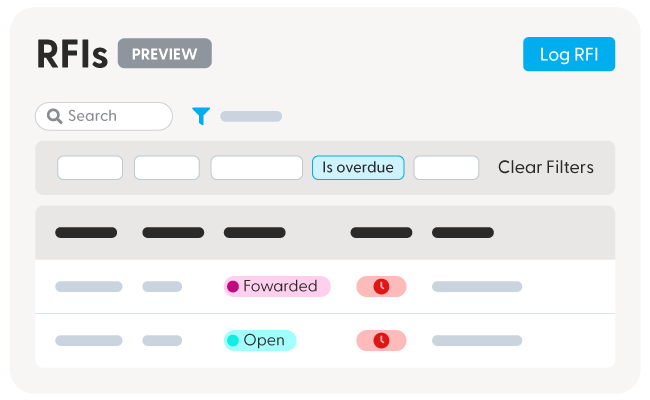
You can search Submittal and RFI data, and then filter it through a range of fields, including by:
The user interface across submittals and RFIs are similar, so your team can quickly get up to speed with minimal training. Drop-down menus allow for easy entry, reducing errors and missed fields. Submittals and RFIs can also be logged and responded to directly from Microsoft Outlook, using the Newforma Konekt Outlook add-in.
Newforma Konekt Contract Administration workflows let your team:
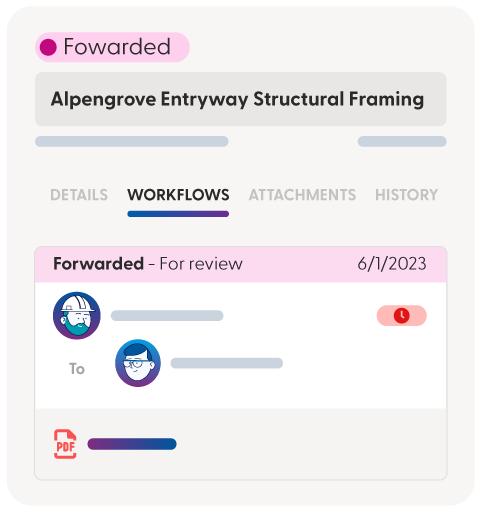
In other words, get the details, view the workflows, access attachments, and see the history on who the submittal or RFI was sent to, and when it was downloaded.
The following workflow options are available for tracking Submittals and RFIs in the project.
With the Newforma Konekt Microsoft Outlook Add-in, Submittals and RFIs can be logged by auto-populating Newforma Konekt from the information contained in the email – including the attachments!
You can search Submittal and RFI data, and then filter it through a range of fields, including by:
The user interface across submittals and RFIs are similar, so your team can quickly get up to speed with minimal training. Drop-down menus allow for easy entry, reducing errors and missed fields. Submittals and RFIs can also be logged and responded to directly from Microsoft Outlook, using the Newforma Konekt Outlook add-in.
Newforma Konekt Contract Administration workflows let your team:
In other words, get the details, view the workflows, access attachments, and see the history on who the submittal or RFI was sent to, and when it was downloaded.
The following workflow options are available for tracking Submittals and RFIs in the project.
With the Newforma Konekt Microsoft Outlook Add-in, Submittals and RFIs can be logged by auto-populating Newforma Konekt from the information contained in the email – including the attachments!
You can search Submittal and RFI data, and then filter it through a range of fields, including by:
The user interface across submittals and RFIs are similar, so your team can quickly get up to speed with minimal training. Drop-down menus allow for easy entry, reducing errors and missed fields. Submittals and RFIs can also be logged and responded to directly from Microsoft Outlook, using the Newforma Konekt Outlook add-in.
Newforma Konekt Contract Administration workflows let your team:
In other words, get the details, view the workflows, access attachments, and see the history on who the submittal or RFI was sent to, and when it was downloaded.